
Received an IRS letter about crypto?
Scan every page of your IRS letter and upload it as one PDF file. We only accept PDF files for review. Our crypto tax specialists will explain what the IRS is asking and what to do next.
Illustrative demonstration: scan a paper letter, complete your contact details and upload it through the Paperform form. A specialist reviews your letter. The final scene shows an illustrative email from CryptoTaxAudit. Our Customer Solutions team emails you within 48 hours to explain what we found and your next steps.
Scan every page and save them together as one clear PDF. How to scan it
We start with the letter.
Not every IRS notice is an audit or a tax bill. We read your actual letter to see what the IRS is asking, which tax year it concerns, and whether a response is required.
We then contact you to explain what we found. If the issue relates to your crypto transactions, we can discuss whether the figures behind your return need a closer look.
If further work is needed, we’ll explain the available support and costs before you decide how to proceed.
What we look at
What the IRS is asking
The issue raised in the notice and the tax year involved.
When a reply is due
The response date and instructions printed on your letter.
Whether the crypto figures need work
Which records or calculations may need checking before a response.
We explain your options. A free letter review does not mean you have engaged us for IRS representation.
Uploading your letter to CryptoTaxAudit does not count as responding to the IRS. If the response date is close, follow the instructions on your notice.
How to scan your IRS letter
Choose the guide for your phone. Scan every page and check each page as you go to make sure it is clear and fully legible. Save all pages together as one PDF.
Scan your IRS letter on iPhone
Use Notes to save every page together as one PDF.
-
Open Notes Open a note or create a new one.
-
Scan Documents Tap the paperclip, then Scan Documents.
-
Scan your letter Hold a page in view. Let it scan automatically or tap the shutter.
-
Check each page Adjust if needed, scan every remaining page, then tap Done.
-
Open PDF options Tap the small arrow beside Scanned Documents.
-
Save to Files Tap Save to Files and choose a location for your PDF.
01 Open Notes
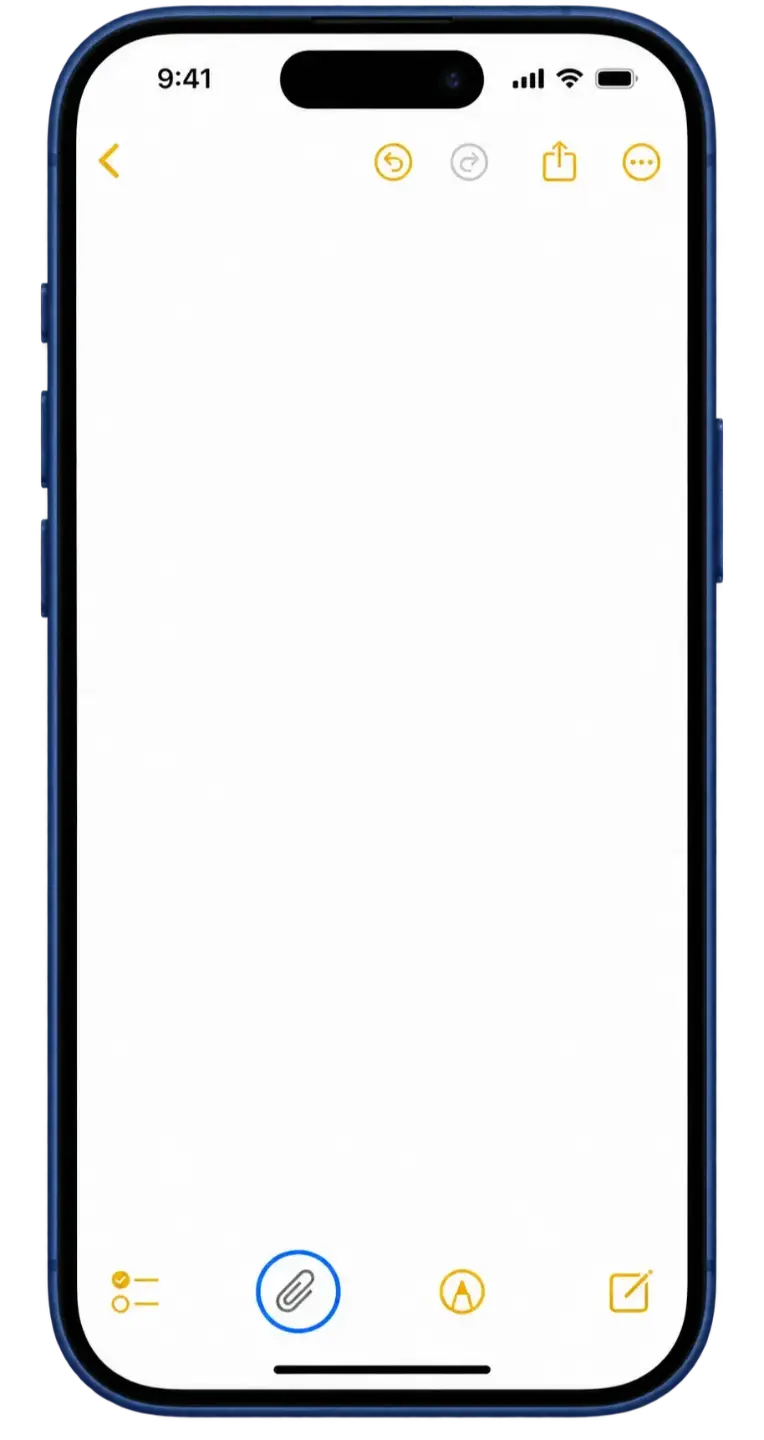
Open or create a note, then tap the paperclip.
02 Scan Documents
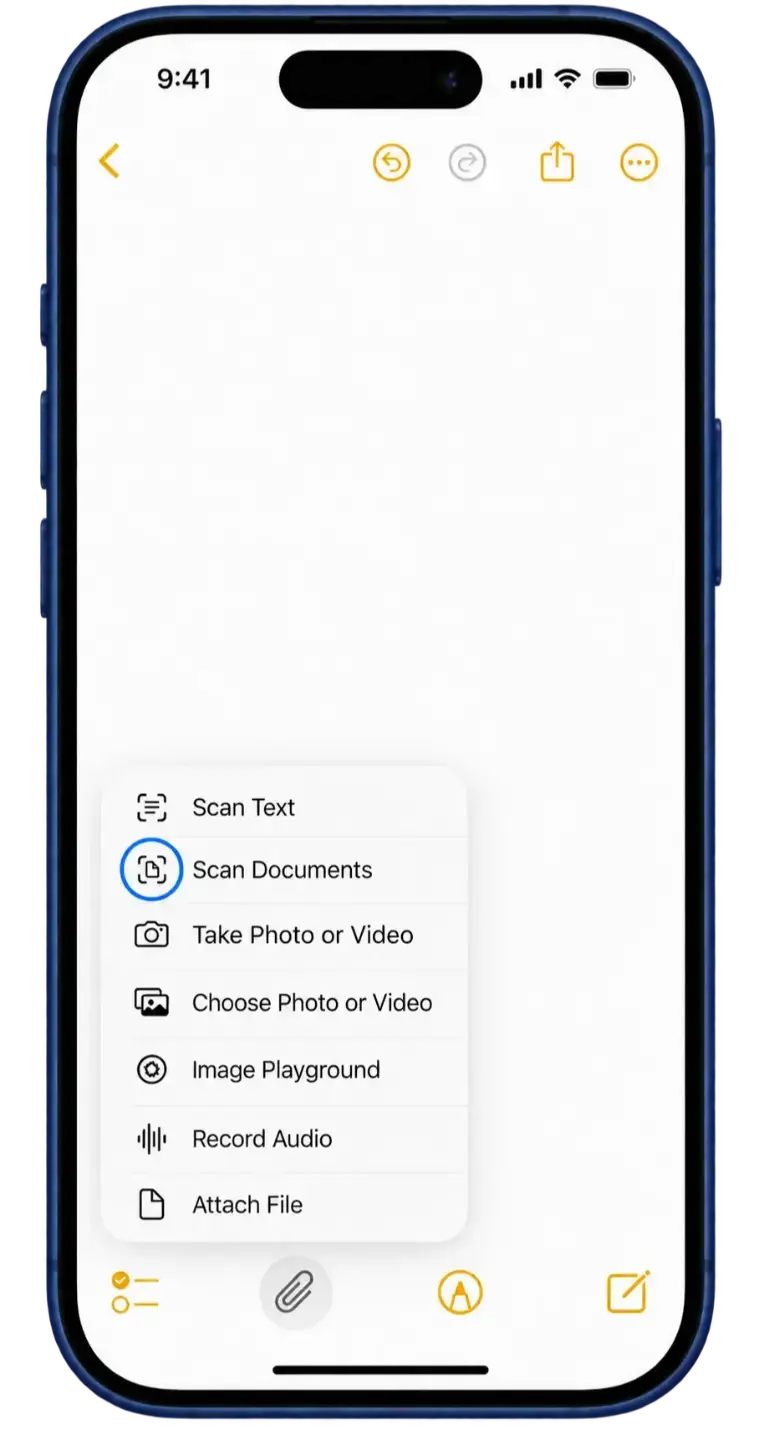
Tap Scan Documents in the attachment menu.
03 Scan your letter
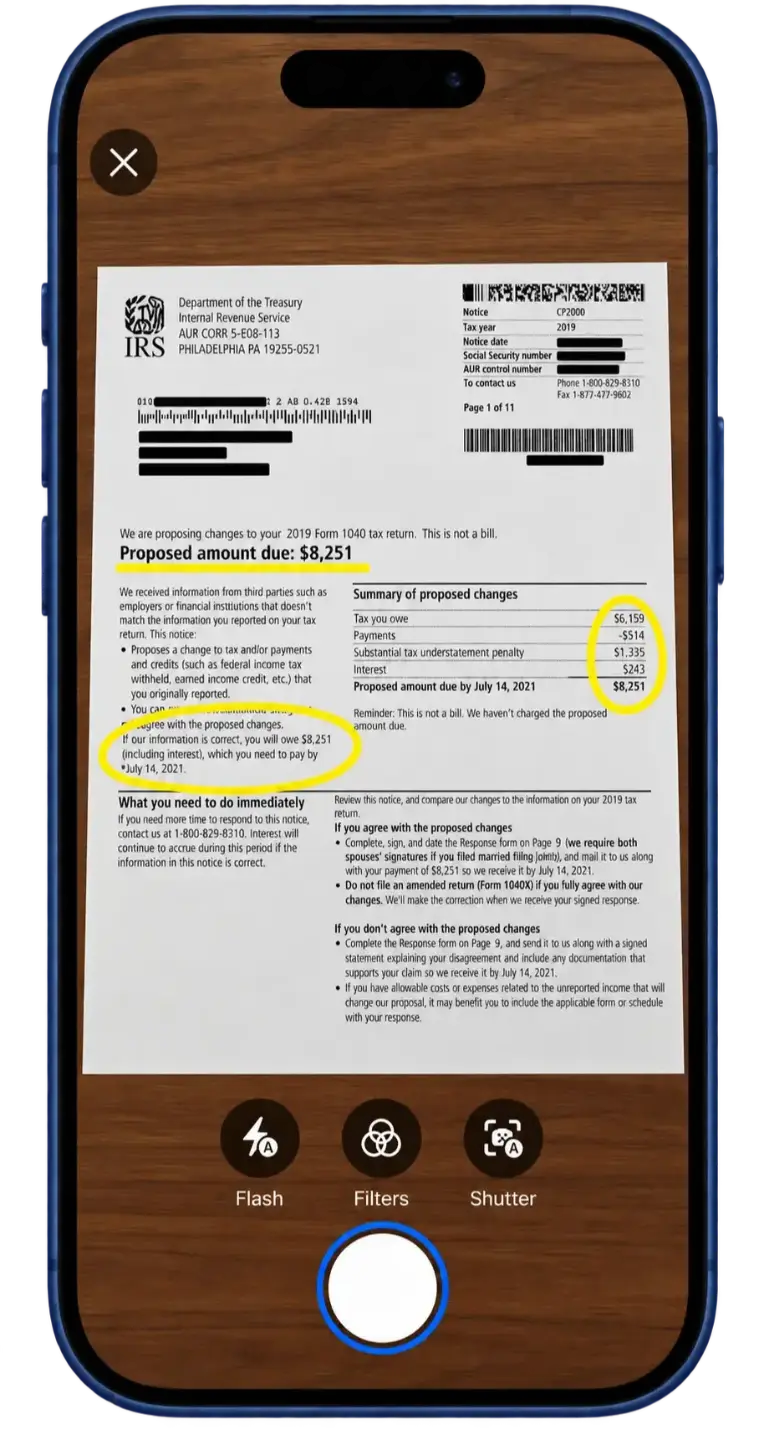
Place your letter in view and scan the first page.
04 Check each page
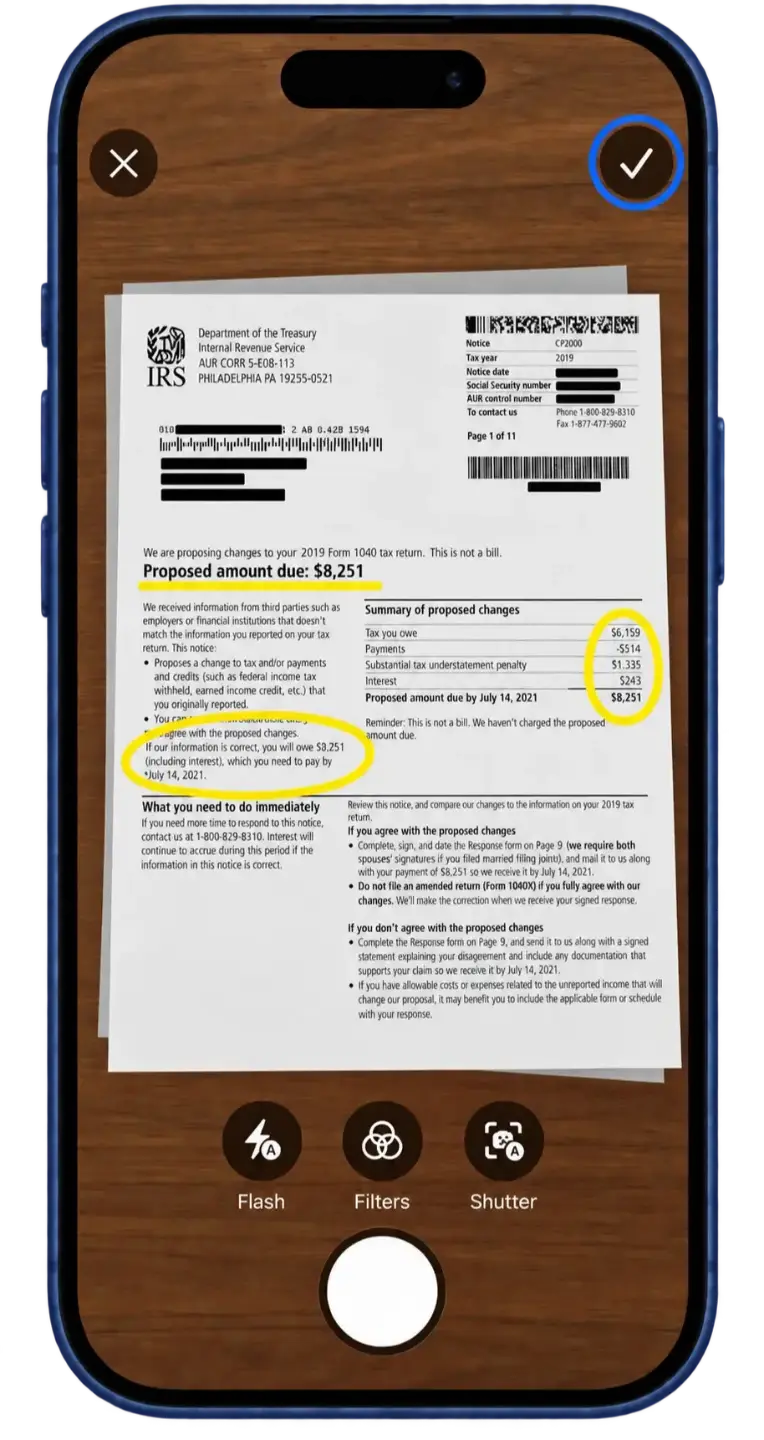
Keep the scan, then scan any remaining pages.
05 Open PDF options
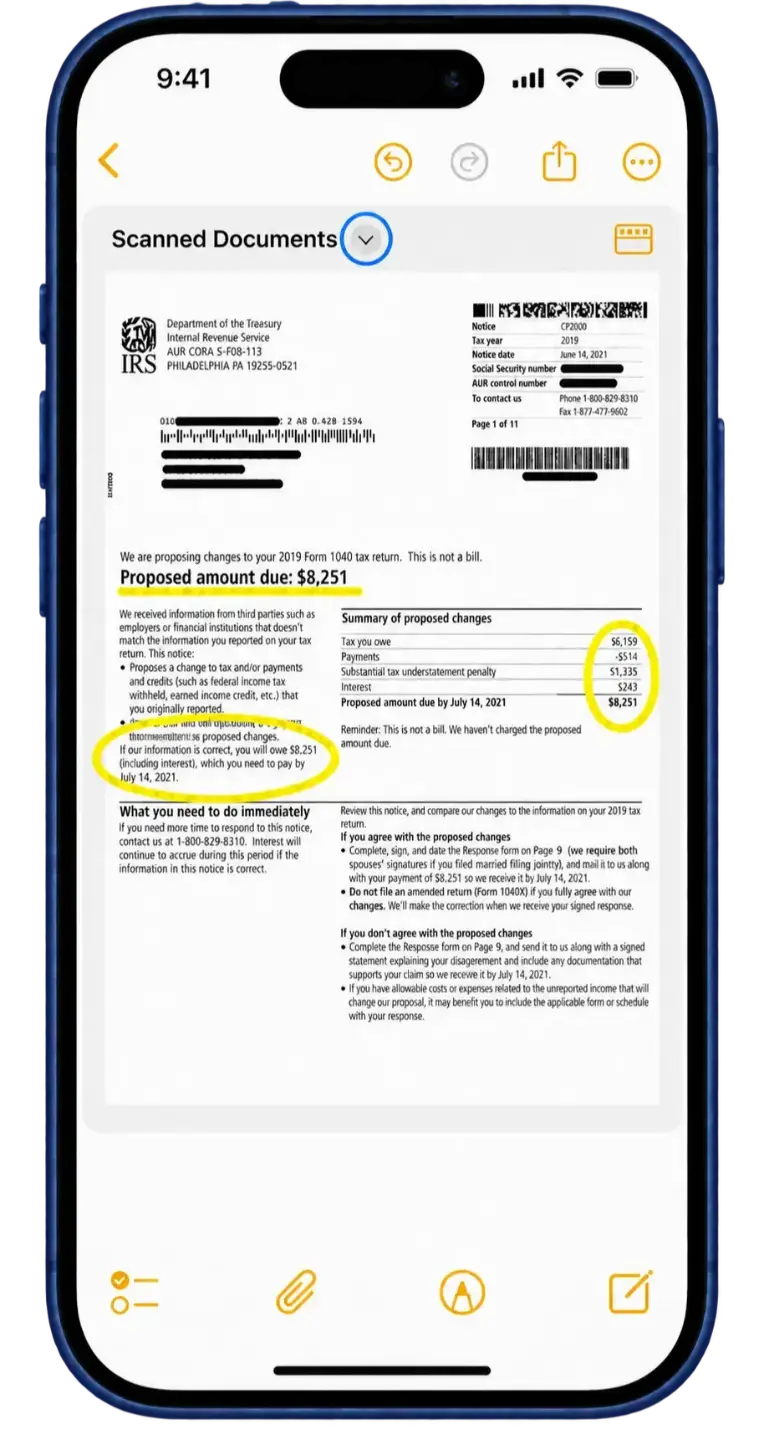
Tap the small arrow beside Scanned Documents.
06 Save to Files
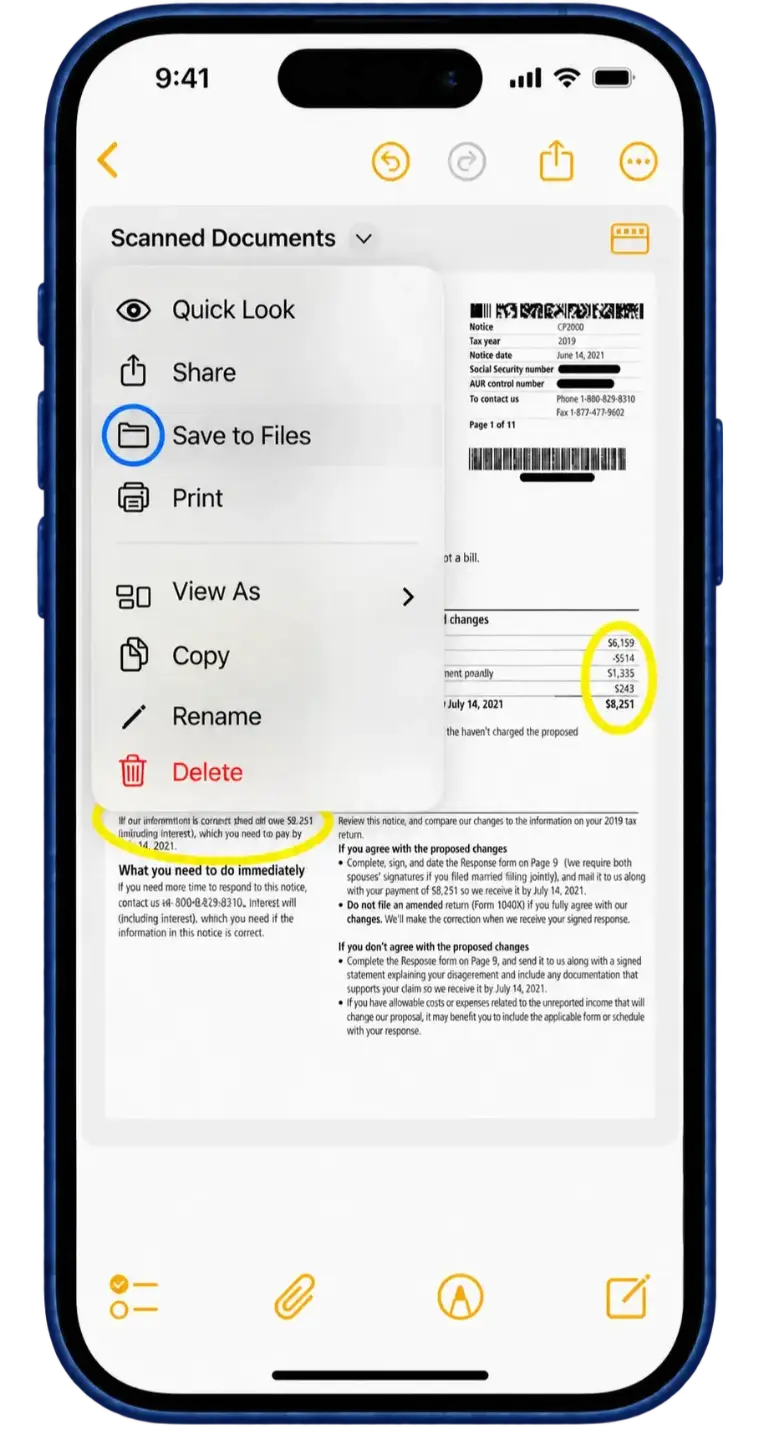
Tap Save to Files, then upload the PDF using the form above.
Scan your IRS letter on Android
Use Google Drive to scan every page together as one PDF.
-
Open Google Drive Go to Files and tap New.
-
Choose Scan Tap Scan in the New menu.
-
Scan your letter Hold the first page in view. Let it scan or tap the shutter.
-
Add every page Check the scan, then tap + for each remaining page.
-
Finish the scan When every page is included, tap Done.
-
Save as a PDF Name the file, select PDF, then tap Save.
-
Find your PDF Find the saved PDF in Drive, ready to upload.
01 Open Google Drive
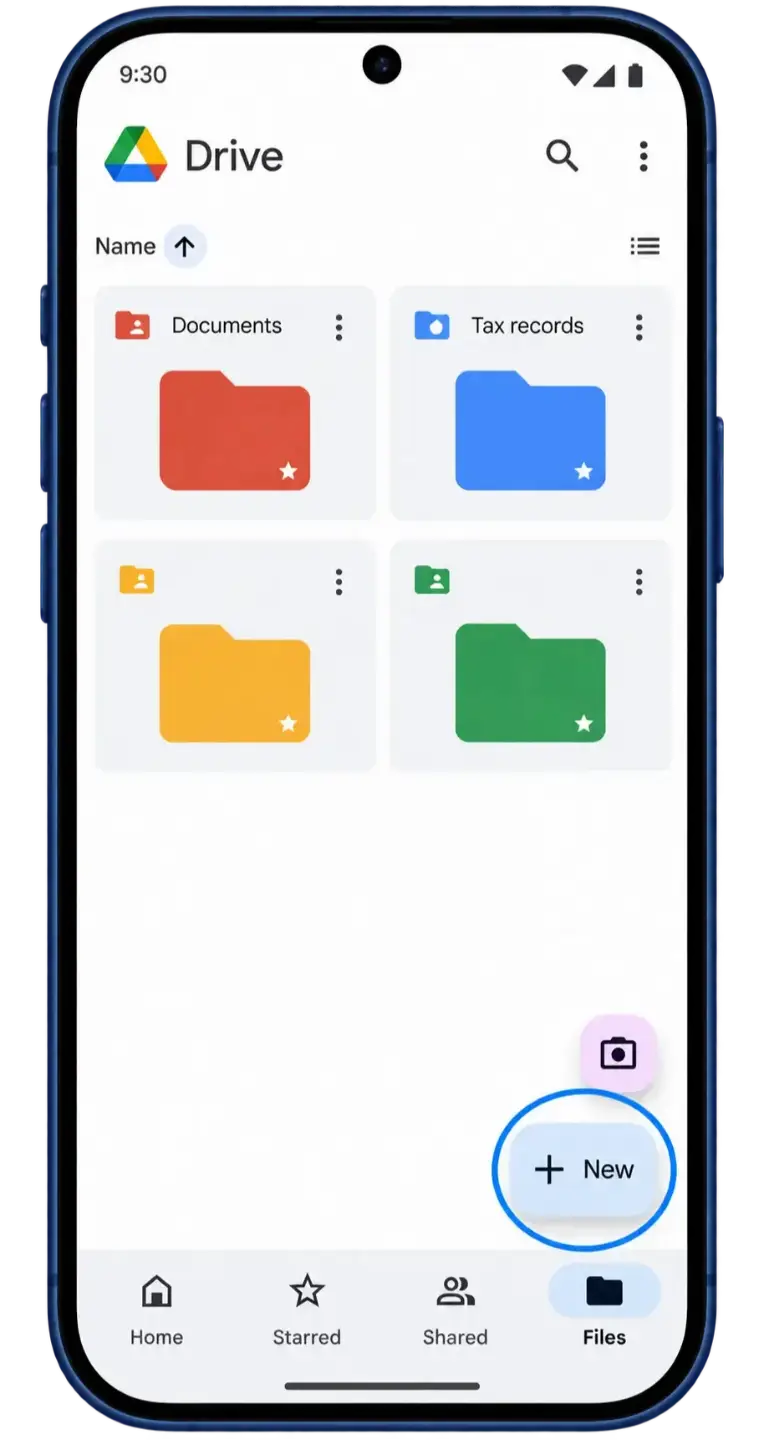
Open Google Drive, go to Files, then tap New.
02 Choose Scan
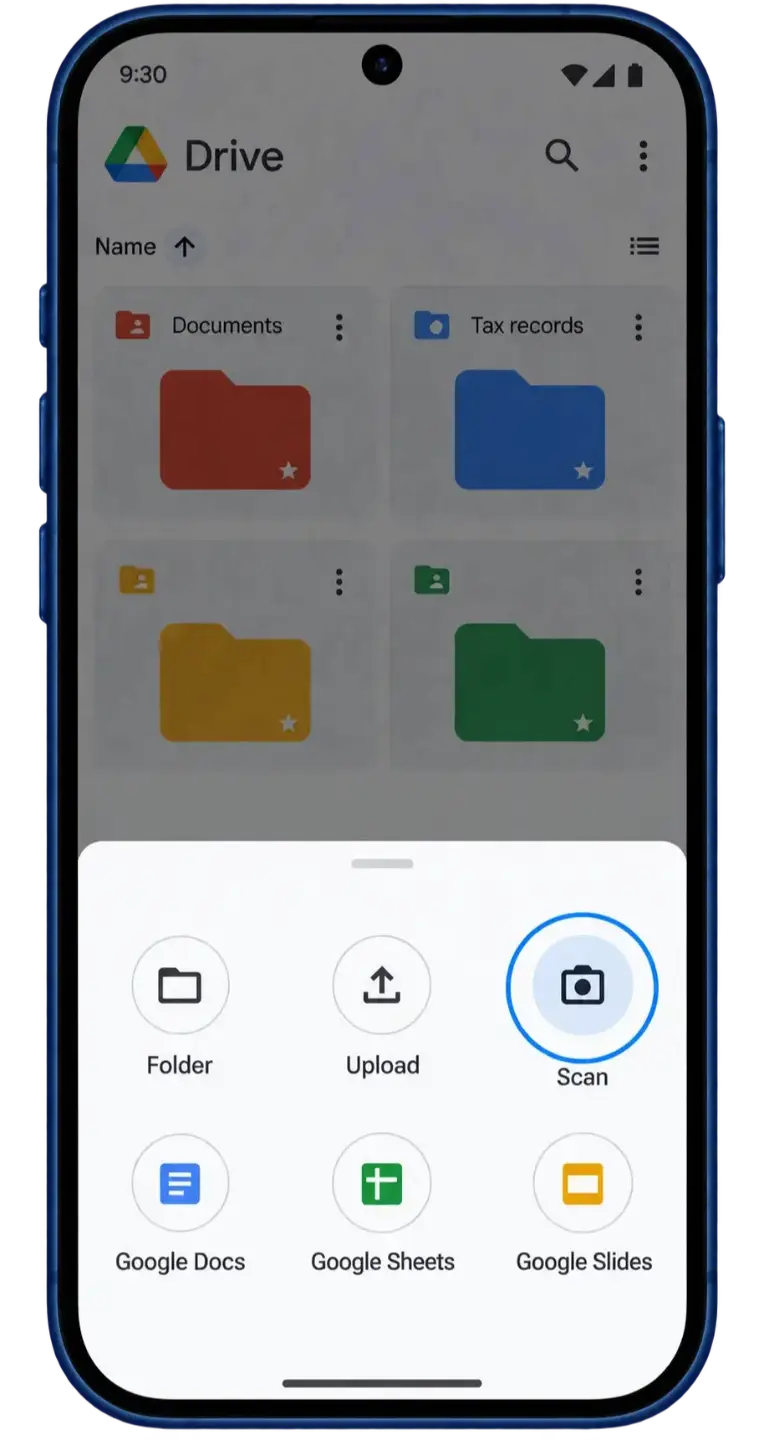
Tap Scan in the New menu.
03 Scan your letter
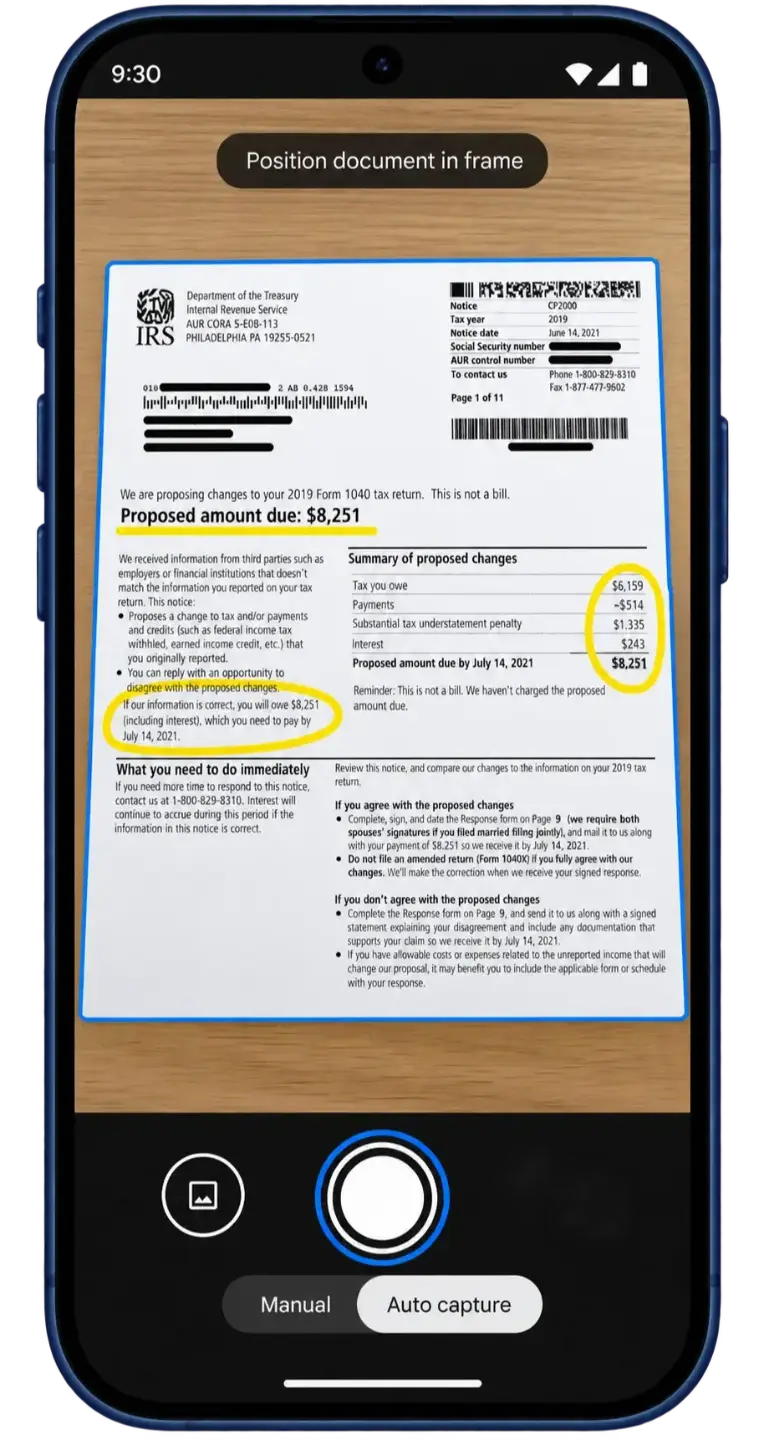
Place the first page in view. Let it scan or tap the shutter.
04 Add every page
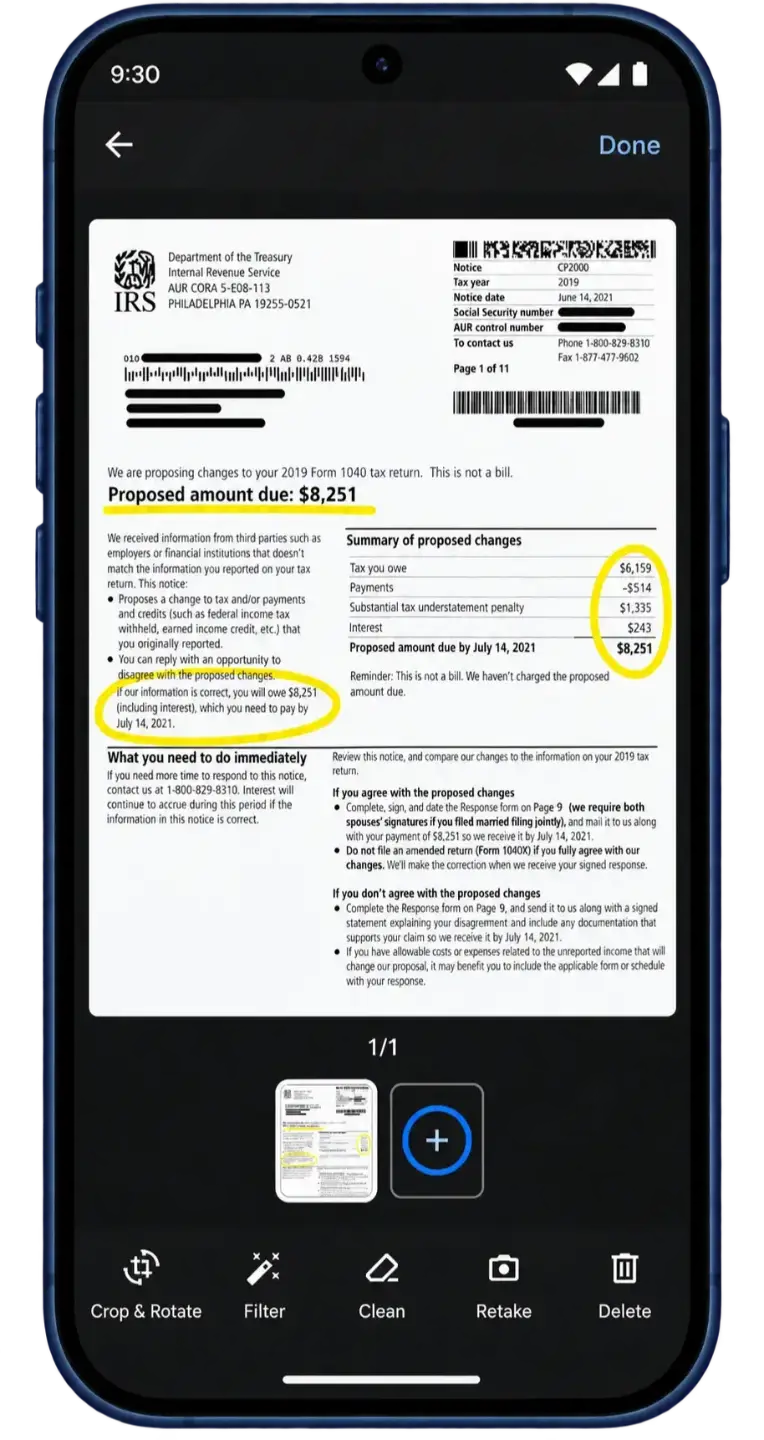
Check the scan, then tap + to scan each remaining page.
05 Finish the scan
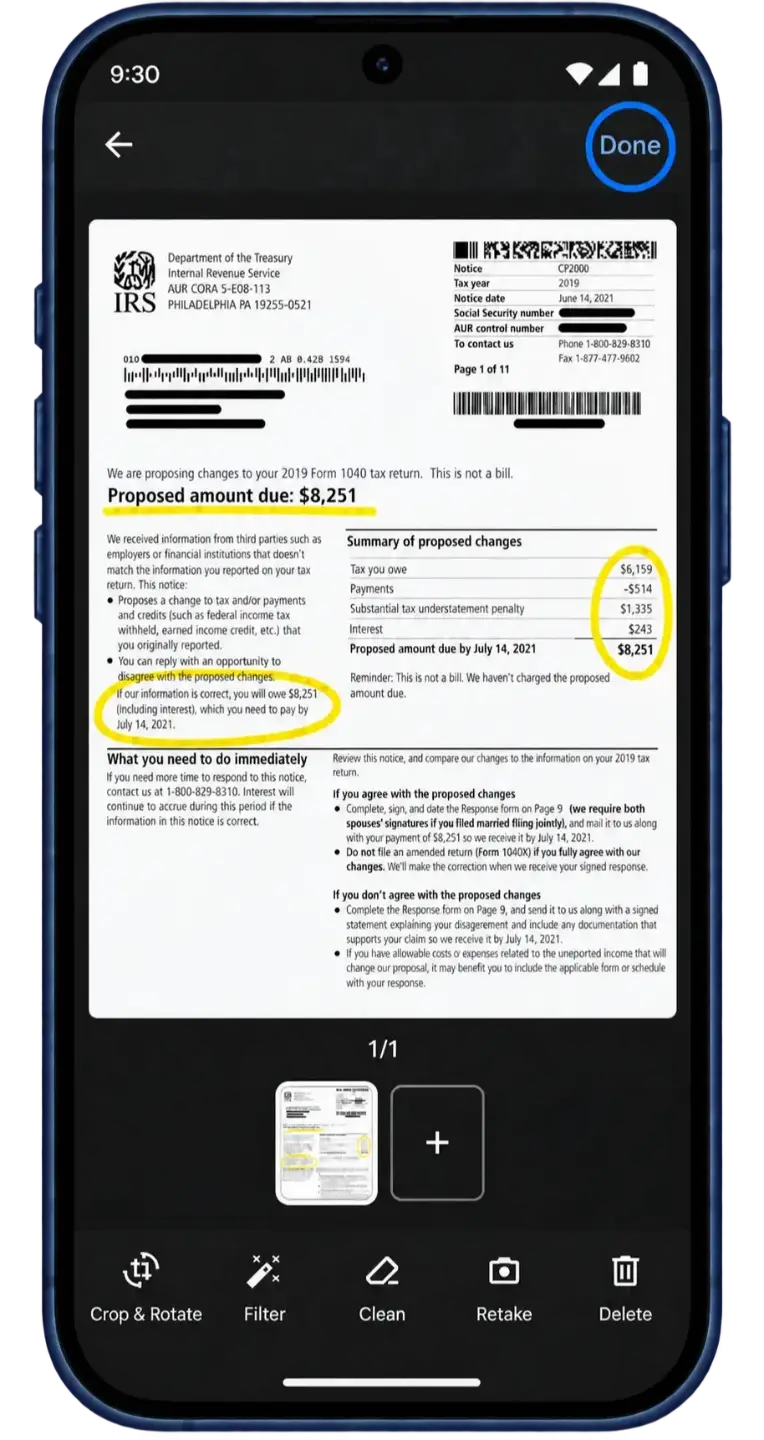
When all pages are included, tap Done.
06 Save as a PDF
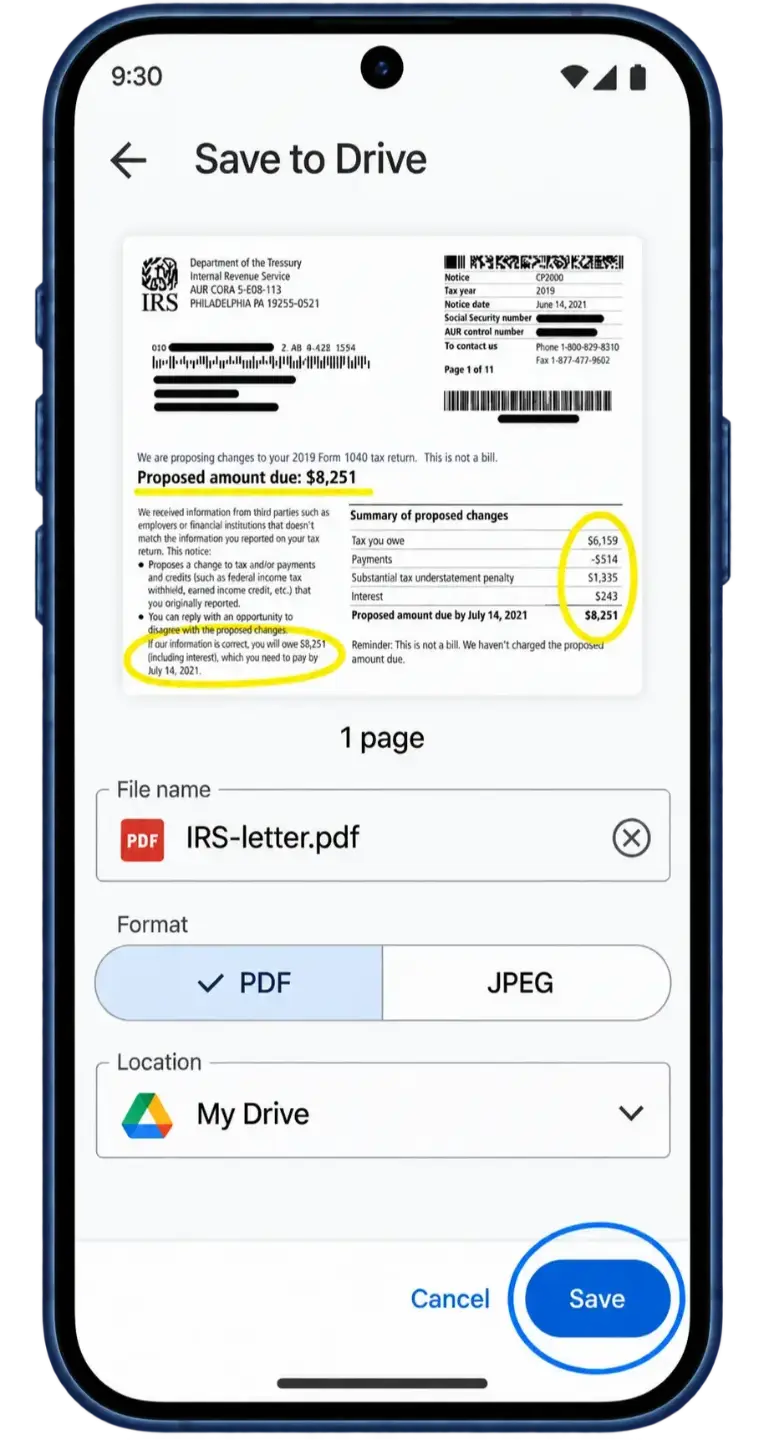
Name the file, select PDF, then tap Save.
07 Find your PDF
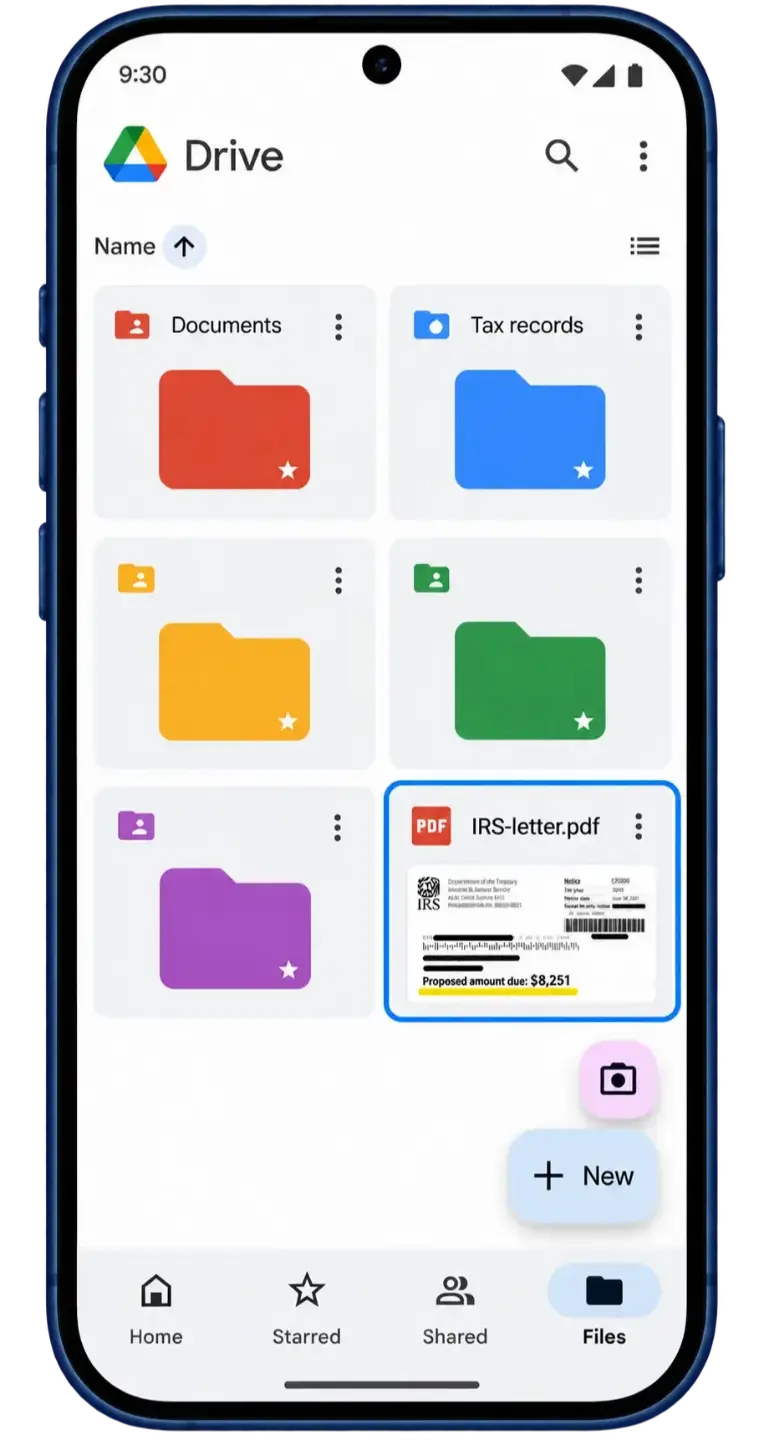
Find the saved PDF in Drive, ready to upload with the form above.
Questions about IRS crypto letters
Does an IRS letter mean I’m being audited?
Not necessarily. IRS letters serve different purposes. Some ask for information, some propose changes to a return, and others ask you to review your crypto reporting. Start with the letter number and its instructions. If you’re unsure what it means, you can send us a copy for review.
What is a CP2501 notice?
A CP2501 says information reported to the IRS does not match your tax return. It is not a bill, but the IRS asks you to respond by the date on the notice. Before agreeing with any proposed change, compare the amounts with your return and the records behind your crypto figures.
What is a CP2000 notice?
A CP2000 proposes changes because information the IRS received does not match what was reported on your return. It is not a bill. Review the proposed changes and follow the response instructions on your notice, whether you agree or disagree.
What is the difference between Letters 6173 and 6174?
Both concern crypto tax reporting, but they ask for different actions. Letter 6173 has a “respond by” date. It explains what to do if a return was missing, your reporting needs correcting, or you believe it was already correct.
Letter 6174 does not require a direct response. You should still check the tax years and transactions it refers to. Letter 6174-A is similar and also says no direct response is required.
What if the amount reported by an exchange looks wrong?
Don’t assume the figure on the notice is your taxable gain. Compare it with your transaction history, cost basis, transfers, and the figures on your filed return. If the calculations need to be checked or rebuilt, our crypto analysts can do that work in-house.
Can you respond to the IRS for me?
We first review the letter and explain what it asks for. If you need help preparing a response or representation before the IRS, we’ll discuss the work involved and the cost with you before it begins. Uploading a letter for a free review does not, by itself, engage us to represent you.
Does uploading my letter extend the IRS deadline?
No. Sending a letter to CryptoTaxAudit is not a response to the IRS and does not change the date on your notice. If that date is close, follow the instructions on the letter while you seek help.
Don’t see your letter here? Browse our IRS notice guide .